 Readit News
semiotic1 commented on Clean mount lists in Linux dbohdan.com/clean-mount-l... · Posted by u/networked
This article covers three commands, and the two I use the most--df and lsblk--don't seem easily covered by "findmnt"?
> df -x tmpfs
findmnt -Dt notmpfs
> lsblk -e 7
findmnt -iS 7:0 (excludes mounted loop devices, not functionally equivalent to lsblk)
> mount -l -t btrfs,fat,exfat,ext2,ext4,iso9660,ntfs3,ufs,vfat,xfs,zfs
findmnt -lt btrfs,fat,exfat,ext2,ext4,iso9660,ntfs3,ufs,vfat,xfs,zfs
> mount | awk '$5 !~ /(autofs|binfmt_misc|bpf|cgroup2|configfs|debugfs|devpts|devtmpfs|fuse|hugetlbfs|mqueue|nfsd|nsfs|proc|pstore|ramfs|rpc_pipefs|securityfs|squashfs|sysfs|tmpfs|tracefs)/'
findmnt -O rw --real
findmnt -lnt noautofs,nobinfmt_misc,nobpf,nocgroup2,noconfigfs,nodebugfs,nodevpts,nodevtmpfs,nofuse,nohugetlbfs,nomqueue,nonfsd,nonsfs,noproc,nopstore,noramfs,norpc_pipefs,nosecurityfs,nosquashfs,nosysfs,notmpfs,notracefs
Or simply invert the target filesystems with --invert instead of prefixing "no".
That counts as the majority for me.
semiotic1 commented on Clean mount lists in Linux dbohdan.com/clean-mount-l... · Posted by u/networked
Why not just use the designated `findmnt` command from util-linux for the majority of this?
semiotic1 commented on Google Authenticator now supports Google Account synchronization security.googleblog.com/2... · Posted by u/ortusdux
Which only worked if you had both phones working at the same time... I'd bet a sizable portion of new phone enablements are due to losing the previous phone irrevocably.
When doing a factory reset because of whatever reason, this becomes an issue as well. You cannot take screenshots of the bulk export QR-Code on Android because of FLAG_SECURE, so you need to work around that and take a photo of the screen with a different device to import from later.
Also, as of last week, there existed an issue with special characters when trying to import and the app would just freeze or not recognize the QR code pattern at all, so you better had backups of all your secret keys.
Both issues made me switch to Aegis and appreciate my past self backing up the secrets with KeePassXC.
Does anyone know when h.264 patents expire ? Was is 2027 ? Fedora is pretty unusable without rpmfusion. All this will also likely move to rpmfusion.
There was a statement [1] earlier from leigh123linux [2] announcing very little interest in maintaining something like this.
[1] https://www.phoronix.com/forums/forum/linux-graphics-x-org-d...
[2] https://admin.rpmfusion.org/pkgdb/packager/leigh123linux/
semiotic1 commented on Building a Budget Homelab NAS Server mtlynch.io/budget-nas/... · Posted by u/mtlynch
They likely use XATTRs to store the ACL (that is an option in Samba), but it's not native like it's on the TrueNAS systems with the kernel. I bet if you log into the Syno's via SSH you don't get the ACLs enforced on the shell. With the NFSv4 ACL patchseries, they would and you could benefit from the better options that the NFSv4 ACLs give you.
Storing them in metadata is not the same as having them natively.
They maintain their own kernel module to handle ACLs (synoacl_vfs) and they are indeed enforced locally as well. They can be read and modified by using the `synoacltool` cli.
  $ synoacltool -get .config
  ACL version: 1
  Archive: is_inherit,is_support_ACL
  Owner: [semiotic(user)]
  ---------------------
   [0] user:semiotic:allow:rwxp-DaARWc--:fd-- (level:1)
   [1] group:users:allow:r-x---a-R-c--:fd-- (level:1)
semiotic1 commented on Firefox lost 50M users since 2019 data.firefox.com/dashboar... · Posted by u/freediver
I've been a Firefox user for at least 15 years as well, and the recent UI updates in v89 is the first instance of me refusing to update Firefox.
I updated my user prefs file to permanently disable updates, so I'm remaining on pre-ProtonUI v88. Of course, I don't know how much longer I could sustain that because I'd also not receive security patches, but in the short term it's what I'm doing.
The new Firefox UI is incredibly frustrating, and feels like it walks back sensible UI principles. Removing icons in the main menu was celebrated as "de-cluttering" [0], when in reality icons improve ease of use. The "floating" tabs feel more distracting [1], when they claim the opposite. Heck, even user prompts no longer colorize the "primary action" button [2].
Also, what's with modern UIs becoming increasingly childish and watered down? The word I'd use to describe the new proton UI is "blurry".
[0] https://www.mozilla.org/media/img/firefox/releasenotes/note-... [1] https://www.mozilla.org/media/img/firefox/releasenotes/note-... [2] https://www.mozilla.org/media/img/firefox/releasenotes/note-...
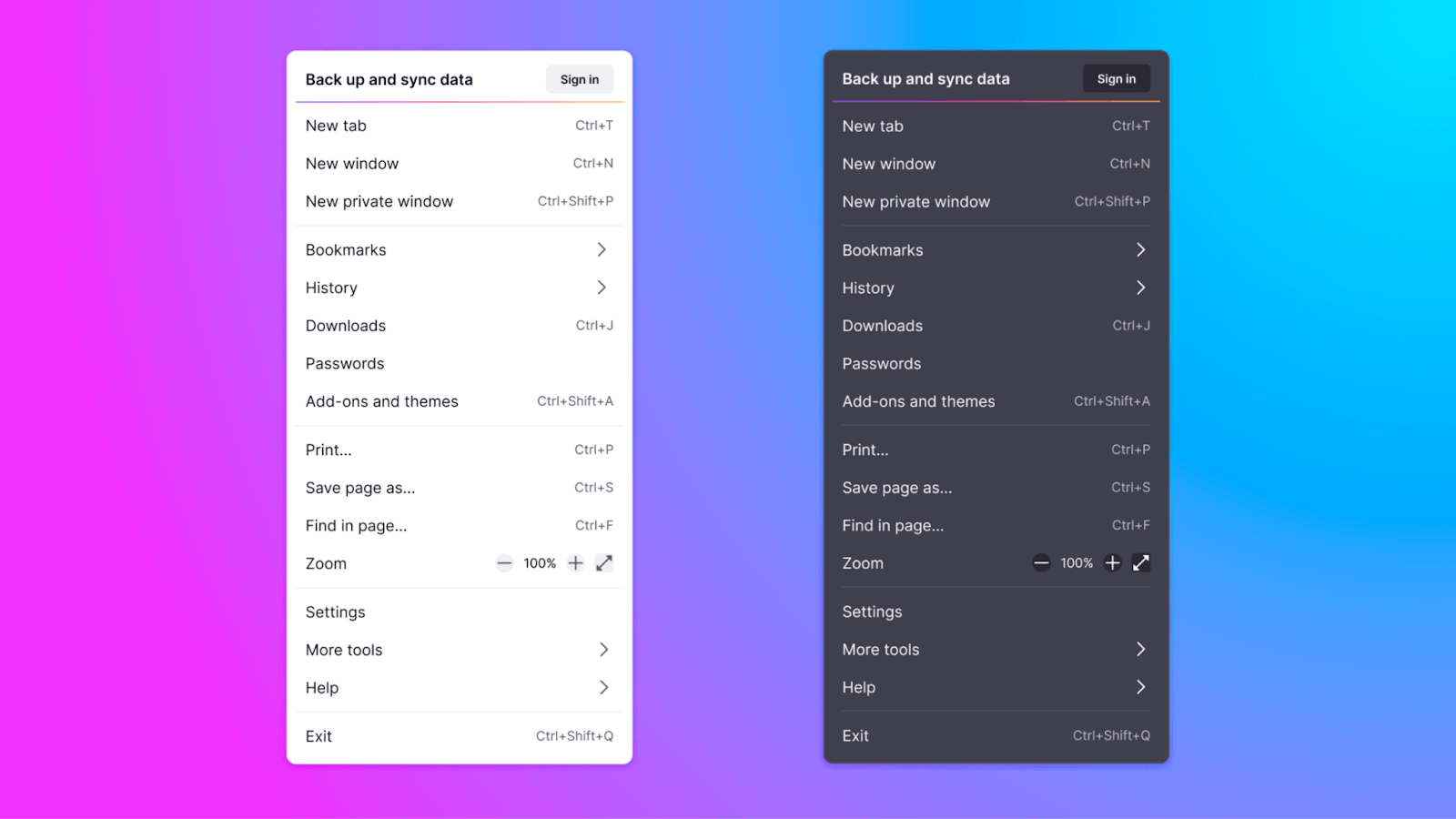
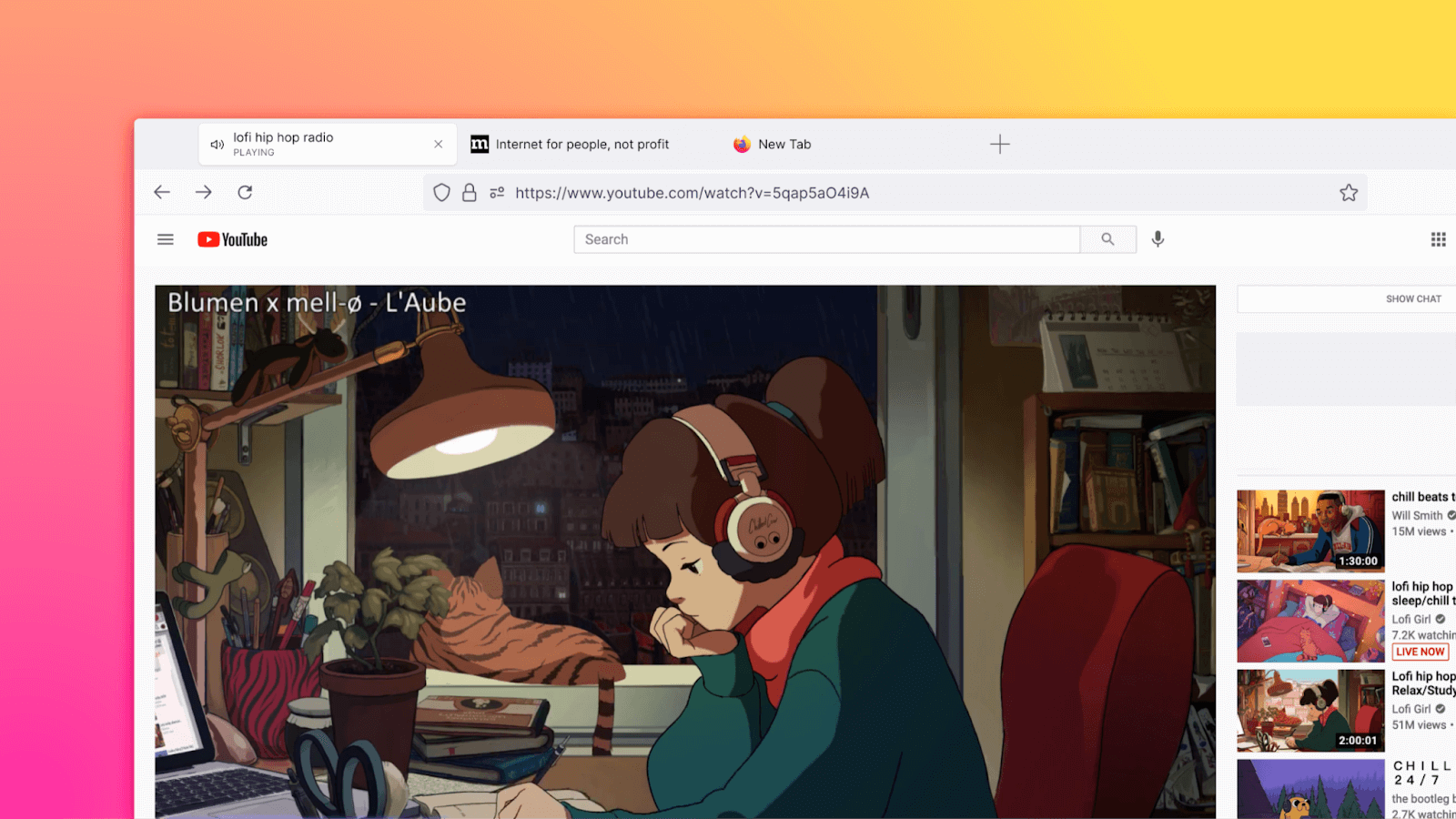

https://github.com/black7375/Firefox-UI-Fix fixes most of the frustrating bits of Proton you describe.
It's arguably not the same as a sensible out-of-the box design, but far better than sticking to old versions just because of the UI.
The basic/key functionality of lsblk is that it shows me all the things that look like disks; which, to me, shouldn't include all of these squashfs mounts, but--very very critically--includes disks that haven't been mounted, as the whole point is that we are looking at block devices, not mount points, or we would be using mount instead of lsblk.
Another important feature of lsblk is how it then takes those block devices and builds them into a tree, showing me how the various layers of--again: potentially as yet unmounted--block devices are "built": I can see that this device isn't in a filesystem, but is being used by an md array which is then used by a bcache or (conversely) that this filesystem isn't just some opaque bcache but is a cache of an md array of some set of specific disks.
The findmnt command you provided thereby simply doesn't seem to do anything related to lsblk; again: you said it wasn't functionally the same... but then what are you trying to show me? I will note your findmnt version also doesn't even succeed in filtering all of the loopback disks, much less all of the random mount trash... 7:0 is just the first /dev/loop, but I have a giant pile of them (due to the stupidly slow and wasteful way Ubuntu insists on using squashfs). I don't think -S even supports something akin to filtering '7:*'?
(FWIW, I do thank you for at least causing me to think about my lsblk usage, as I usually hated how the tree was to-me inverted and I was going to say I'd love to have a tool which didn't do that... but after decades of using lsblk I finally looked at --help and it turns out I can use -s to get the output I actually want, so I am amazingly happy! findmnt definitely isn't a useful alternative, enough.)
You are correctly pointing out that it filters only the first loop device and doesn't support globbing. lsblk is clearly the better suited tool for the job you are describing and the reason I said "majority" in my first comment.